A Memorable Frontend-Backend Separation
Refactoring the company’s legacy JSP project by introducing a Node.js layer.
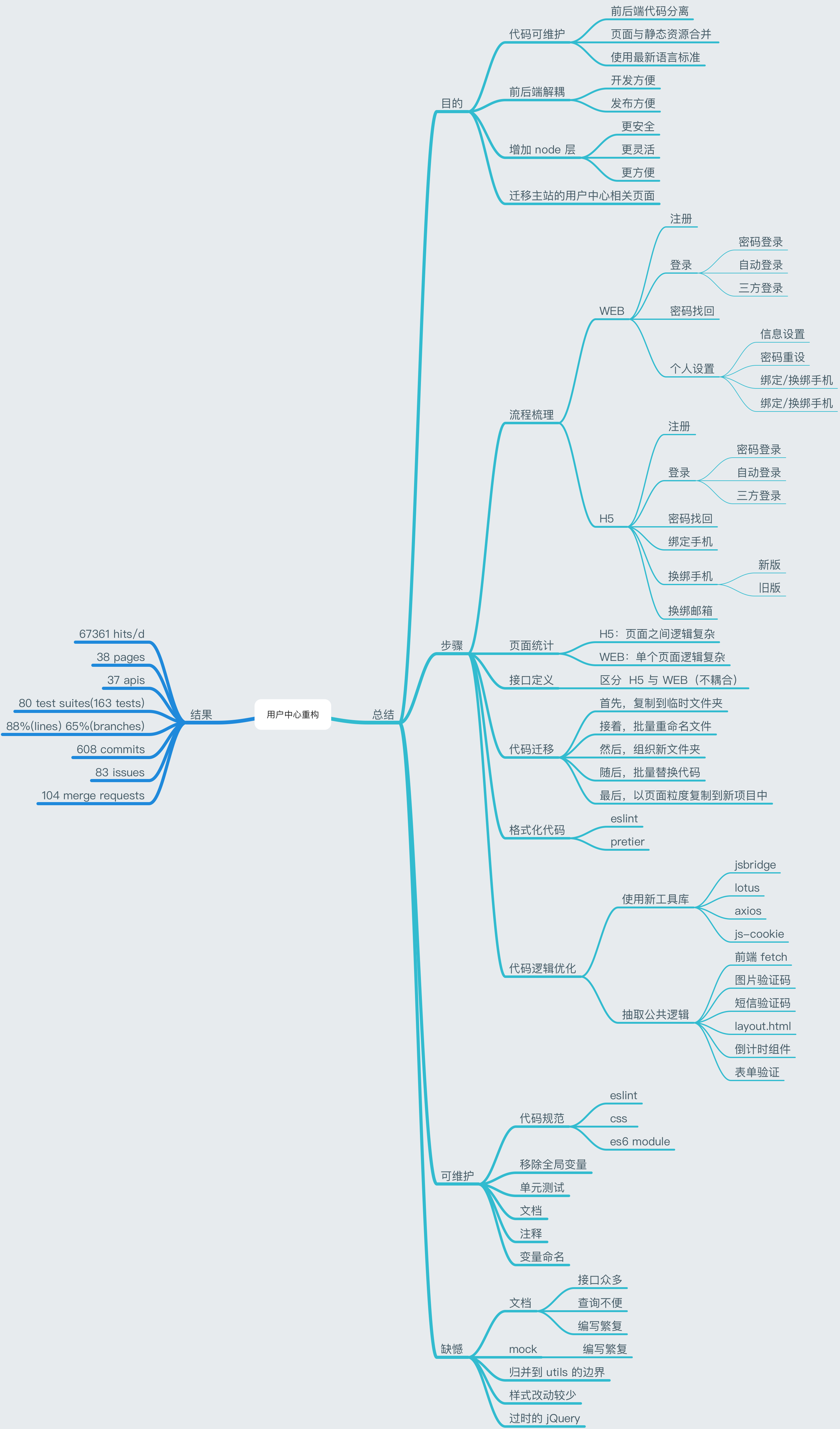
Maintainability
Code Standards
Adopted and integrated ESLint.
I once worked on a project that had errors all over the screen.
It had ESLint configured but wasn’t following the configuration during development. In cases like that, it would actually be better not to have ESLint at all.
ES6 Modules
Combined with webpack2, this enables tree shaking.
Comments and Variable Naming
Only comment when necessary: counterintuitive code, code with significant background context, or step-by-step processes.
1 | // 1 |
Code may pass through many hands. Everyone makes changes, and the logic evolves, but comments often stay the same. Eventually, outdated comments end up misleading the reader.
On Regrets
Documentation
1. External Project Documentation
- Maintained through an online API documentation center for easy access.
- After all, documentation is meant for others to read.
2. Backend Integration Documentation
- Also maintained through an online API documentation center for easy access.
- Changes to API documentation trigger notifications for easy synchronization.
- Mock data can be synced locally.
Utils Boundaries
- Once you start using a component named
utils, no matter how clean it is initially, it inevitably becomes bloated over time. - Use more specific names instead, such as
formValidationUtilsfor form validation utilities, orURLUtilsfor URL manipulation utilities.
Style Changes
- Unified style naming to lowercase with
-as the separator instead of camelCase. - The original project’s mobile styles were fairly maintainable — most were split by page level.
- Although the PC version had its independent styles extracted after refactoring, the shared styles were massive and had short class names, making it difficult to refactor using batch find-and-replace.
The Outdated jQuery
- We took a step backward historically by converting some Vue pages back to jQuery.
- Many components directly depended on jQuery, making migration extremely difficult.
- For example, the project’s Vue version supported mixed use with jQuery, but the latest version of Vue directly manipulates DOM nodes, causing some jQuery DOM methods to break.
A Memorable Frontend-Backend Separation
http://quanru.github.io/2017/12/15/A Memorable Frontend-Backend Separation